
Top Benefits of WiFi Electronic Deadbolt Locks for Modern Homes
Introduction to Smart Locking
What Is an Electronic Deadbolt Lock?
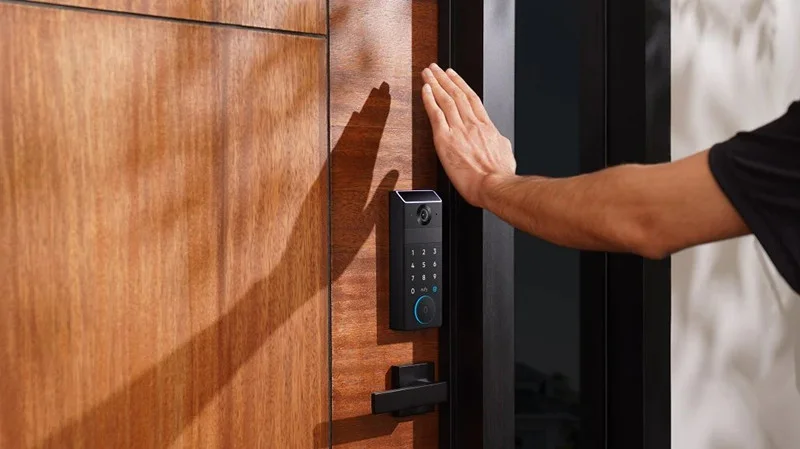
An electronic deadbolt lock replaces traditional key systems with electronic access control. It allows homeowners to unlock and lock doors using a keypad, fingerprint scanner, or smartphone. These devices increase convenience while offering enhanced security, making them a perfect fit for modern households.
The Emergence of WiFi Integration
Integrating WiFi into electronic deadbolts has transformed how people interact with their home security systems. With remote access, real-time alerts, and smart home compatibility, WiFi deadbolt locks are a major step forward in both convenience and control.
Why WiFi Deadbolt Locks Are Gaining Popularity
Access from Anywhere
One of the standout features of WiFi-enabled locks is the ability to control them from virtually anywhere. Whether you're at work, on vacation, or in bed, you can lock or unlock your doors using your smartphone app, offering unmatched flexibility.
Enhanced Monitoring and Alerts
Most WiFi locks offer real-time notifications, allowing you to monitor when doors are opened or closed. You can even track who is entering your home with individual access codes, making it easier to keep tabs on kids, guests, or maintenance personnel.
Integration with Other Smart Devices
These locks often sync with devices like security cameras, smart lights, and home automation systems. For example, your lock can trigger the hallway lights to turn on when you enter, or send alerts to your phone if someone attempts unauthorized access.
Key Features of WiFi Smart Deadbolts
Remote Access and Management
Through smartphone apps, users can lock and unlock their doors remotely, grant temporary access to guests, and even set schedules for automatic locking. These capabilities provide unmatched convenience and peace of mind.
Secure Guest Access
Hosting guests or managing a rental property becomes easier with temporary digital keys. These codes can be shared and revoked at will, ensuring secure yet flexible entry without the need to hand out physical keys.
Voice Assistant Compatibility
Most modern WiFi deadbolt locks are compatible with Alexa, Google Assistant, or Apple HomeKit. This allows you to lock or check the status of your door using simple voice commands, enhancing both accessibility and control.
Common Use Cases
Ideal for Families
Families benefit from keyless entry, especially when kids forget or lose house keys. With customizable access codes, every family member can have their own entry credentials, and parents can monitor when kids arrive home.
Perfect for Airbnb Hosts
For short-term rental owners, WiFi smart locks eliminate the hassle of physical key exchanges. You can send guests a code that automatically expires after their stay, simplifying check-in and boosting security.
Convenient for Small Business Owners
Business owners can manage employee access remotely, limit entry times, and monitor who enters and leaves the premises. This helps improve overall operational security without needing a full-time receptionist or security staff.
FAQs
Can I still use a key with WiFi smart deadbolt locks?
Yes, most models come with a physical key backup in case of battery failure or connection issues. This ensures you always have a way to enter your home, even if the technology fails.
What happens if the WiFi connection drops?
If your WiFi goes down, you won’t be able to control the lock remotely, but local unlocking methods like keypads or Bluetooth will still work. Some locks store codes locally to ensure continued access during outages.
Are these locks secure against hacking?
Reputable brands use encrypted communication protocols and multi-factor authentication to prevent unauthorized access. Just ensure your network is secure and always keep the firmware updated.
How long do the batteries last?
Battery life typically ranges from 6 months to a year, depending on usage. Most locks will alert you via app or sound an audible warning when batteries run low, so you’ll have plenty of time to replace them.
Is it difficult to install a WiFi deadbolt lock?
Not at all. Most WiFi electronic locks are designed for DIY installation with basic tools. Manufacturers usually provide clear instructions, and the process often takes under 30 minutes.
