
Electronic house locks are worth considering when you want fewer lost-key problems, better control over who can enter, and a cleaner way to manage family members, guests, cleaners, contractors, or rental visitors. The real value is not only that you can open the door without a metal key. The bigger point is that you can decide who gets access, when that access works, and when it should stop. That is hard to do with a normal key because once a key is copied or handed out, you lose control over it. For a busy household, a keypad code, fingerprint reader, app-connected deadbolt, or retrofit electronic lock can make daily entry feel simpler while giving the homeowner more visibility. If you have ever hidden a spare key under a mat, waited for a family member who forgot their key, or worried about whether a former tenant still has a copy, you already understand why this topic matters.
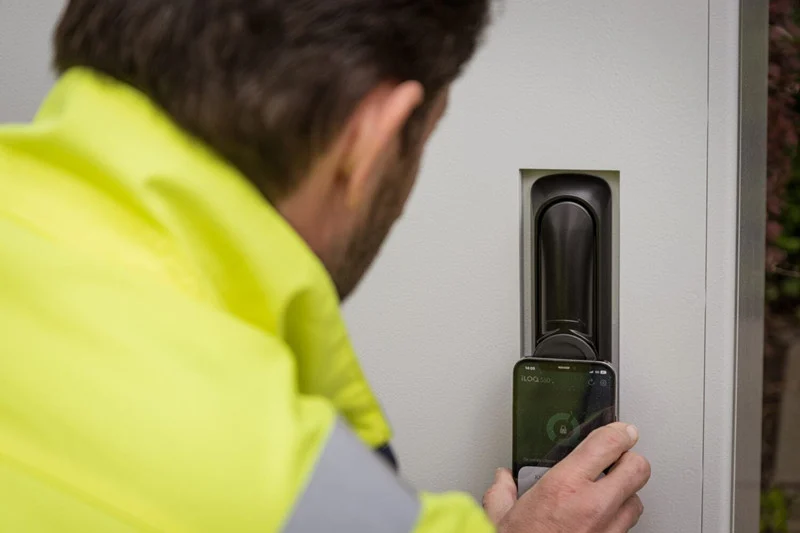
At the same time, electronic house locks should not be treated like a magic fix for every home security issue. A lock is only one part of the door system. The door slab, frame, strike plate, hinges, installation quality, and user habits all affect the final result. A strong electronic deadbolt installed on a weak frame may still fail under force. A well-built lock with poor app settings may create digital risk. A fingerprint lock with no good backup option may become frustrating during rain, cold weather, or a sensor failure. So, when choosing electronic house locks, the practical question is not simply, “Which lock has the most functions?” A better question is, “Which lock gives my home the right balance of physical strength, access control, simple daily use, and safe backup access?” That is the mindset buyers should keep from the first search to the final installation.
People search for electronic house locks because traditional keys often create small problems that repeat again and again. One child forgets a key. A cleaner needs access once a week. A neighbor needs to feed a pet while the owner travels. A contractor needs to enter for one afternoon. A tenant moves out, and the owner wonders whether the key was copied. These everyday situations are not dramatic, but they create friction. Electronic locks help because access can be handled as a code, fingerprint, phone credential, card, or temporary permission instead of another physical key. That means you can create a cleaner access process without changing your entire door layout. For many households, this is where the product pays for itself: not through a flashy function, but through fewer interruptions, fewer key copies, and fewer awkward access arrangements.
There is also a lifestyle reason. Many homes already use connected cameras, doorbells, alarms, garage controls, and delivery lockers. The front door naturally becomes part of that access routine. A homeowner may want to check whether the door was locked after leaving, give a one-time code to a visiting relative, or get a record when a guest arrives. Electronic house locks fit into that pattern, especially for families that manage many moving parts during the week. Yet the best use is still practical. You do not need to turn the home into a technology showroom. You need a reliable lock that solves a real access problem. If a simple keypad deadbolt solves your issue, that may be better than buying a Wi-Fi lock with functions you never use. If you manage a rental unit, remote code control may be worth paying for. The right answer depends on the door, the people using it, and how often access changes.
Electronic house locks are residential locks that use electronic authentication to unlock or manage a door. In plain English, the lock checks something other than a cut metal key. That “something” may be a PIN code, fingerprint, smartphone app, access card, Bluetooth credential, Wi-Fi command, or a mix of several methods. Some models still include a mechanical key as backup. Some remove the outside keyway for a cleaner look and depend on electronic access plus emergency power. Others fit over the inside thumb turn and keep the original exterior deadbolt, which is useful for renters or homeowners who do not want to change the outside look of the door. This broad range is why buyers often feel confused. Two products may both be called electronic house locks, but they can behave very differently in daily use.
A good way to compare them is to separate access method from connection method. Access method means how a user opens the door. Connection method means how the lock communicates, if it communicates at all. A keypad lock may work fully offline and store codes locally. A Bluetooth lock may let you manage it from a phone only when nearby. A Wi-Fi lock may allow remote control from another city. A hub-based lock may connect through a home platform. Each option has a different comfort level, price range, battery demand, and setup requirement. If you want simple access for family members, a local keypad model may be enough. If you need to manage guests from far away, remote code control matters more. If you want fast entry for children or older adults, fingerprint access may be helpful. The product should match your real routine, not just your wish list.
Keypad electronic house locks are often the easiest starting point because the user enters a PIN instead of using a physical key. They are popular for front doors, garage entry doors, side doors, and rental units because they reduce the need for spare keys. A family can give each person a separate code, then remove that code later if needed. A cleaner can receive a code that works only on certain days. A contractor can receive a temporary code instead of a key that might not come back. For many buyers, this simple shift from physical keys to managed PINs is enough to make the door easier to control. You still need to choose a good lock body, but the daily access experience becomes much cleaner.
The main weakness of keypad locks usually comes from poor code habits. If everyone uses the same short code for years, the lock is not being used well. If the code is a birthday, street number, repeated digit, or easy pattern, it becomes easier to guess. If the keypad buttons wear down and reveal the most-used numbers, that also creates risk. Better keypad electronic house locks may include anti-peep code entry, where you can type random numbers before or after the real code so nearby observers cannot easily learn it. Buyers should also check whether the keypad is readable in bright sun, usable in rain, and durable enough for outdoor exposure. A keypad lock should feel boringly reliable. If entering your home starts to feel like fighting a stubborn device, people will find shortcuts, and shortcuts often reduce security.
App-controlled electronic door locks are useful when you want to manage access from your phone. Depending on the model, you may be able to lock or unlock the door, create guest codes, check battery status, see activity records, and receive alerts. This can be helpful if you travel often, manage a rental property, receive visitors while away, or want to check whether the door is locked after leaving. For example, a parent may see when a child arrives home after school. A property owner may send a code to a guest before check-in. A homeowner may let a trusted neighbor enter during an emergency. These are real use cases, and they explain why app-connected locks have gained attention among residential buyers.
The tradeoff is that app-connected locks require better digital hygiene. A connected lock is not just hardware on the door; it is also tied to a phone, account, password, firmware, router, and sometimes a cloud platform. If the password is weak or reused, the account can become the soft point. If the router is poorly secured, the home network may create unnecessary exposure. If the app is rarely updated, known bugs may remain. This does not mean app-controlled locks are unsafe by default. It means you should treat them with the same seriousness as any device that controls access to property. Use a strong unique password, turn on multi-factor authentication when available, update the app and firmware, remove old users, and avoid sharing the main account login. The lock should make access easier, but the owner still needs to manage the account with care.
Fingerprint electronic house locks can be very convenient because the user does not need to remember a code or carry a key. A touch of the finger can unlock the door in seconds, which is useful when someone is carrying bags, walking a dog, or helping children into the house. This access method can also reduce casual code sharing because the credential is tied to a person rather than a number. For families, fingerprint access can be especially helpful when children are old enough to enter alone but not reliable enough to manage keys. For older users, it can also be easier than typing a code in low light.
That said, fingerprint access should always be paired with a good backup method. Fingers can be wet, dirty, cold, scratched, or hard for the sensor to read. Some people may have fingerprints that do not scan consistently. A well-designed fingerprint lock should allow more than one access method, such as PIN, app, card, or emergency key. It should also make user removal simple. If a roommate moves out or a worker no longer needs access, the fingerprint profile should be deleted immediately. Buyers should check storage capacity, sensor placement, weather performance, recognition speed, and failure behavior. A fingerprint lock should not turn one simple door into a daily guessing game. It should make access smoother while keeping the owner in control.
Retrofit electronic locks are a good choice when you want electronic access without replacing the entire exterior lock. These products usually mount on the inside of the door and operate the existing deadbolt from the interior side. From the outside, the door may still look like a normal keyed lock. That can be useful for renters, apartment residents, homeowners with decorative hardware, or anyone who does not want to advertise that the lock has electronic functions. Retrofit locks may also allow continued use of the original key, which gives a familiar backup option for household members who prefer traditional access.
The important thing to remember is that a retrofit lock depends heavily on the condition of the existing deadbolt. If the bolt already sticks, scrapes, or requires pushing the door to lock, the motor will struggle. That can lead to battery drain, failed locking, and user frustration. Before buying a retrofit electronic lock, test the deadbolt by hand with the door open and closed. It should extend and retract smoothly without force. If it does not, fix the door alignment, strike plate, hinge position, or deadbolt first. The retrofit lock should automate a smooth mechanical action. It should not be expected to overcome a poorly fitted door every day.
The real difference between electronic house locks and traditional deadbolts is control. A traditional deadbolt can be strong, simple, and reliable, especially when it uses quality materials and is installed with a reinforced strike plate. It does not need batteries or apps. It does not depend on a phone. Many homeowners still trust traditional deadbolts for good reason. But a metal key is also a blunt access tool. Whoever holds the key can use it, and you usually do not know when it was used. If the key is copied, you may never know. If a tenant, cleaner, or contractor keeps a copy, the common fix is rekeying the lock. That costs time and money.
Electronic house locks improve the access side of the equation. You can create different credentials for different people. You can remove access without changing the hardware. You can set temporary access windows. Some models show entry records. Some tell you whether the door is locked. This is helpful, but it does not remove the need for physical strength. A good electronic lock should still act like a strong deadbolt first. The electronics should add access control, not distract from weak construction. The best choice depends on the household. A quiet home with two careful adults may do well with a high-quality traditional deadbolt. A home with children, cleaners, guests, relatives, deliveries, or rental turnover may benefit more from electronic access.
| Comparison Point | Traditional Deadbolt | Electronic House Lock |
|---|---|---|
| Access method | Uses a physical key that must be carried, copied, returned, or replaced. | May use PIN, fingerprint, app, card, Bluetooth credential, mechanical key, or mixed access. |
| User control | Hard to limit after the key is handed out or copied. | Many models allow users, codes, or access periods to be added and removed. |
| Entry record | Usually no record of who entered or when the door was opened. | Some models record activity, failed attempts, or code usage. |
| Power requirement | No battery is usually needed for the deadbolt itself. | Most models use batteries and need low-battery monitoring. |
| Main buyer risk | Lost keys, copied keys, weak installation, and no access record. | Poor password habits, low-quality hardware, battery neglect, and weak app setup. |
Before buying electronic house locks, start with your door instead of the product listing. Measure the door thickness, backset, borehole size, and deadbolt position. Check whether the door closes cleanly without lifting, pulling, or pushing. Test the current deadbolt several times. If it does not move smoothly, fix that first. A new electronic lock will not magically repair a warped door or misaligned strike plate. Many battery and motor complaints begin with a simple mechanical problem. The lock motor works harder, the battery drains faster, and the owner blames the product even though the door was the root cause.
After the door check, think about how access will actually work in daily life. Who needs to enter? How often do users change? Do you need remote control, or is local keypad access enough? Is the door exposed to rain or direct sun? Do you want a mechanical key backup, or would you rather avoid a keyway? Will children, older adults, tenants, cleaners, or visitors use it? These questions matter more than a long feature list. A lock for a rental property may need remote code management and strong guest scheduling. A lock for a family garage entry may only need a reliable keypad and auto-lock. A lock for an exposed front door needs better weather resistance than one installed inside a covered hallway.
Door compatibility should be the first buying checkpoint because an incompatible lock can turn into a frustrating project. Most residential electronic deadbolts are designed for common door preparations, but older doors, narrow stile doors, metal doors, glass-panel doors, thick doors, double doors, and decorative handlesets may create issues. The outside keypad may not fit beside trim. The inside battery housing may hit a screen door or molding. The deadbolt may not align with the strike plate. If you buy first and measure later, you may end up returning the lock or forcing an installation that never works smoothly.
Read the installation guide before purchase, not after delivery. Check the door thickness range, borehole diameter, backset requirement, latch type, and clearance needed for the interior unit. If you are replacing an old lock, remove the old hardware and inspect the door edge and frame. Look for cracks, loose screws, damaged wood, or a strike plate that has been moved several times. A well-installed electronic lock should feel solid, not improvised. If the door frame is weak, upgrade the strike plate and screws. If the deadbolt is off-center, correct the fit. A clean installation gives the electronics a much better chance of working reliably for years.
Most electronic house locks use batteries, so backup access should be part of your buying decision. A good lock should warn you before the battery runs out. The warning may come through a light, sound, keypad signal, app alert, or a mix of these. Some locks include emergency power terminals, such as a 9V battery contact or USB power point, so you can wake the lock temporarily from outside. Others include a mechanical key override. Each backup method has strengths and weaknesses. A mechanical key is familiar, but it must be stored safely. Emergency power is useful, but the user must know how to use it. App alerts are convenient, but only if the lock is connected and the notifications are enabled.
Battery life also depends on more than the lock itself. A sticky deadbolt, high traffic, cold weather, constant Wi-Fi communication, and frequent motor strain can shorten battery life. For that reason, buyers should not judge power performance by the marketing number alone. Use the battery type recommended by the manufacturer. Avoid mixing old and new batteries. Test low-battery alerts if the manual explains how. Keep a backup key or emergency power method available. If the lock begins to sound slower or weaker, check the battery and the deadbolt alignment right away. A small maintenance habit can prevent the worst situation: standing outside your own home with a dead lock and no backup plan.
If you choose app-connected electronic house locks, treat the lock account like a digital house key. Use a strong unique password that is not reused from email, shopping, or social media accounts. Turn on multi-factor authentication if the brand offers it. Keep the app and lock firmware updated. Secure the home router with a strong admin password and modern Wi-Fi encryption. Do not share the owner account with cleaners, guests, or tenants. Create guest access instead. If a phone is lost, remove that device from the lock account as soon as possible. If someone moves out or finishes a job, delete the code or user profile the same day.
This may sound like extra work, but it is the normal responsibility of using any connected access product. The good news is that most of these steps are simple once you set a routine. The bad news is that many users never do them. They install the lock, keep the default settings, reuse a weak password, leave old guest codes active, and forget about firmware updates. That is not a product issue; it is a management issue. The lock can only protect the home as well as the owner manages it. If you do not want to manage apps, passwords, and updates, choose a local keypad lock with fewer connected functions. Less technology can be a better choice when it matches your habits.
Build quality matters because an electronic lock is still door hardware. The keypad, fingerprint reader, app, and alerts are helpful, but the lock must still resist daily wear, weather, impact, and forced entry. Look for clear information about the deadbolt, exterior housing, cylinder, strike plate, finish, operating temperature, and weather protection. A front door facing direct rain or strong sunlight needs a lock designed for outdoor exposure. A lock used on a sheltered apartment door faces different conditions. If the product information is vague about materials and outdoor use, be careful. A low price can become expensive if the lock fails after one season of heat, humidity, or rain.
Also pay attention to the feel of the hardware. A lock should not feel hollow, loose, or flimsy. Buttons should respond cleanly. The thumb turn should move without grinding. The deadbolt should extend firmly. The battery cover should not fall off easily. The finish should resist fingerprints and weather stains. If possible, read long-term reviews rather than only launch reviews. Many locks feel good in the first week. The real question is how they behave after six months of family use, bad weather, code changes, battery cycles, and repeated locking. For the main entry door, buy for reliability first and convenience second. A pretty lock that fails at the wrong time is not a bargain.
Electronic house locks work best on doors where access changes often or where carrying keys creates repeated trouble. The front door is the most common choice, but it is not the only useful location. Garage entry doors, side doors, guest suites, rental units, home offices, storage rooms, and shared entrances can also benefit. In many homes, the garage-to-house door is used more often than the formal front door, so it may be the better place to install the first electronic lock. The decision should follow the way people actually enter the home, not the way the home looks in a floor plan.
You also do not need to replace every lock at once. A practical setup might include one electronic deadbolt on the most-used entrance and quality mechanical locks on less-used doors. For a rental property, the guest entrance may need electronic access, while a private storage room may need a separate lock with restricted access. For a family home, the front door may use a keypad and fingerprint lock, while the backyard gate remains mechanical. The goal is not to make every door electronic. The goal is to reduce key problems and improve access control where the benefit is clear.
Front doors are the natural place for electronic house locks because they are used every day and often shared by several people. A keypad can help children enter after school. A fingerprint reader can make entry faster for family members. An app-connected lock can tell the owner whether the door is locked. Auto-lock can help users who often forget to turn the deadbolt. Temporary codes can make it easier to handle visiting relatives or service workers. These are not luxury details when they solve real daily problems. They remove small points of friction that happen again and again.
Because the front door is visible and exposed, the lock must also be physically suitable. Choose a model that can handle the local climate, whether that means humidity, rain, dust, heat, cold, or direct sun. If the entrance has no cover, weather resistance becomes more important. If the lock is highly visible from the street, you may prefer a less flashy design. Some homeowners like a full keypad because it is clear and convenient. Others prefer a retrofit lock because the outside still looks like a normal deadbolt. Both can work. The better choice depends on the home’s appearance, the exposure level, and how much electronic access you want to show from outside.
Rental properties are one of the strongest use cases for electronic house locks because guest access changes constantly. With a traditional key, every handoff creates a risk: the guest may lose it, copy it, forget to return it, or arrive late when no one is available. Electronic locks make the process cleaner. A property owner can create a code for each guest, set it to work only during the stay, and remove it after checkout. Cleaners and maintenance workers can have separate codes. This makes the access history easier to understand and reduces the need for physical key exchanges.
The main mistake in rental settings is reusing the same code for everyone. That defeats much of the purpose. A good rental lock should make code management fast, clear, and repeatable. If the property is far away, remote management may be worth the cost because the owner can update access without visiting the door. Battery monitoring is also important because a dead lock battery can quickly become a guest complaint. Rental owners should keep backup access instructions ready, replace batteries on a schedule, and test the lock between guests. A well-managed electronic lock can make the property feel more professional. A poorly managed one can create stress for both the guest and owner.
Garage entry doors and side entrances are often the doors people forget to secure well. Many families enter through the garage more often than the front door, yet that interior door may still have a weak knob lock or an old deadbolt. A keypad electronic lock can be useful here because family members can enter without carrying keys, while the door remains locked when not in use. This is especially helpful for children, shared households, or homes where people often go in and out through the garage while working, exercising, or handling deliveries.
Side entrances need a careful look because they may be less visible from the street and more exposed to weather. If a side door is dark, poorly framed, or rarely checked, the lock alone will not solve the problem. Combine the lock with better lighting, a solid door, a reinforced strike plate, and regular checks. If the door is exposed to rain, choose hardware rated for exterior conditions. If the door is used by gardeners, pool cleaners, or maintenance workers, timed access codes can be very helpful. The lock should match the way the entrance is used. A side door used once a month may not need app control. A side door used by multiple service workers may benefit from separate codes and access records.
The biggest mistake buyers make is choosing electronic house locks based on appearance and product photos instead of fit, strength, and daily use. A slim touchscreen can look good online but feel awkward in rain. A fingerprint reader can sound convenient but fail often if the sensor is poor. A low-cost lock may save money at purchase but use weak materials, drain batteries quickly, or offer poor support. A lock should be judged by how it performs on your actual door with your actual users. Before buying, read installation guides, long-term reviews, app reviews, and return policies. Look for repeated complaints. One bad review may not mean much. A pattern of battery failure, app lockouts, poor customer service, or jammed bolts should make you pause.
Another common mistake is turning on every function without thinking through the risk. Remote unlock, auto-unlock, voice control, shared app accounts, and long-term guest codes may sound convenient, but each function changes the access picture. Use the functions that solve a real problem and leave the rest off. If you never need remote unlocking, a Wi-Fi model may not be necessary. If you use voice control, require a PIN for unlocking. If you use guest codes, set expiration dates. If a cleaner needs access every Tuesday, do not give a code that works every day. Good access control is not about using every function. It is about giving each person the right level of access and no more.
A third mistake is ignoring maintenance after installation. Electronic locks are not high-maintenance products, but they are not “install and forget” products either. They need battery checks, code cleanup, firmware updates, sensor cleaning, and occasional mechanical inspection. Set a reminder every few months to review the user list, remove old codes, check battery level, test backup access, and make sure the deadbolt moves smoothly. If the lock has activity logs, review them from time to time. If you manage a rental, check the lock after each guest cycle. Small habits prevent big headaches. The best electronic house locks work well because the hardware is good and the owner manages access properly.
Safe setup starts before the first code is created. Install the lock carefully and test the deadbolt with the door open and closed. The bolt should extend fully without rubbing. If the motor struggles, stop and fix the alignment. Do not ignore grinding sounds or half-locked positions. Use the correct screws and secure the strike plate properly. If the frame is weak, reinforce it. If the door is warped, adjust it. Electronic access is useful only when the mechanical foundation is sound. A smooth lock action also protects battery life because the motor does not have to fight the door every time it locks.
After installation, create access rules with intention. Set a strong admin password for the app account if the lock uses one. Turn on multi-factor authentication if available. Add each user separately. Do not give everyone the same code unless there is a specific reason. Use temporary codes for temporary people. Avoid easy PINs such as birthdays, addresses, repeated numbers, or simple patterns. Delete old codes as soon as they are no longer needed. Teach household members how to lock, unlock, check battery warnings, and use backup access. If a lock is used by guests or tenants, write a short access instruction that is clear but does not reveal owner settings.
Network setup matters for app-connected locks. Use a secure Wi-Fi password and keep the router firmware updated. Avoid leaving the lock tied to an old phone, old email, or shared account that several people can access. If the lock connects through a hub, place the hub in a stable location and protect that account too. If the product supports activity alerts, turn on the alerts that matter without creating notification fatigue. Too many alerts may cause the owner to ignore all of them. A good setup should be clear, calm, and easy to maintain. Security should fit into daily life instead of feeling like a second job.
Electronic house locks are worth it when they solve a real access problem. If your household loses keys often, shares access with many people, manages guests, rents out a property, or wants easier entry through a busy door, an electronic lock can make daily life noticeably smoother. The best part is not the gadget feeling. It is the ability to stop relying on uncontrolled physical key copies. A code can be changed. A user can be deleted. A temporary access window can expire. A fingerprint profile can be removed. That level of control is difficult to get from a traditional key system.
They may not be worth it if you only want a new lock because it looks modern. If your door is rarely used, your household is small, and you do not need guest access, a high-quality mechanical deadbolt may be enough. If you dislike app management, passwords, firmware updates, and battery checks, choose a simpler lock or stay with mechanical hardware. The point is to buy for your actual routine. A homeowner who travels every month may love remote code control. A homeowner who wants zero digital setup may prefer an offline keypad lock. A buyer who wants no batteries at all may choose a traditional deadbolt. There is no single right answer for every home, but there is a right fit for each door.
Electronic house locks can make a home easier to enter, easier to manage, and easier to share with the right people at the right time. They are especially useful when physical keys have become annoying, risky, or hard to track. A good electronic lock can help you remove old access, set temporary codes, reduce key copying, and create a smoother daily routine. For families, rental owners, busy homeowners, and people who often coordinate access with others, that can be a real improvement. The lock should feel like a practical tool, not a complicated toy.
The best results come from pairing the right lock with the right door and the right habits. Choose strong hardware. Confirm door compatibility. Install the lock cleanly. Protect the account if the lock connects to an app. Use separate access for separate people. Remove users who no longer need entry. Check batteries before they become a problem. Keep the deadbolt moving smoothly. When you handle those basics, electronic house locks can offer a better balance of convenience and control than traditional keys alone. The goal is simple: make daily access easier without making the doorway weaker.
Electronic house locks are residential locks that use electronic access methods instead of relying only on a metal key. Depending on the model, a user may unlock the door with a PIN code, fingerprint, smartphone app, access card, Bluetooth credential, or a mix of several methods. Some models still include a mechanical key for backup, while others use emergency power terminals or app-based access. The main reason people choose them is access control. You can give different people different credentials, remove access when needed, and avoid handing out physical keys that may be copied or lost.
Electronic house locks can be safe for front doors when the lock is well built, properly installed, and managed carefully. The lock should have strong physical hardware, a secure deadbolt, good weather resistance, reliable battery warnings, and a clear backup method. If the lock connects to an app, the owner should use a strong unique password, enable multi-factor authentication when available, and keep the app and firmware updated. The door frame and strike plate also matter. A strong electronic lock installed on a weak door frame may still be vulnerable to forced entry. Treat the lock as one part of the full entry system.
Most residential electronic house locks are battery-powered, so a home power outage usually does not stop the lock from working. The bigger issue is battery failure inside the lock. Good models provide low-battery warnings before the battery is fully drained. Many also include a backup method such as a mechanical key, emergency 9V battery contact, USB temporary power, or another external power option. Owners should learn the backup process before an emergency happens. It is also wise to replace batteries on a schedule and keep the deadbolt aligned so the motor does not waste power fighting a sticky door.
A keypad lock is usually better if you want simple access for several people and easy code sharing. It works well for families, rental homes, cleaners, and service workers because codes can be created and removed. A fingerprint lock is better if you want fast personal access without remembering a code. It can be useful for children, older adults, and daily household members. The best choice depends on who uses the door. Many buyers prefer a lock that supports both PIN and fingerprint access because it gives more flexibility. No matter which type you choose, make sure there is a reliable backup method in case the keypad, sensor, battery, or app has a problem.
Electronic house locks are very useful for rental properties because they reduce the need for physical key handoffs. A property owner can create a code for each guest, set access for the stay period, and remove the code after checkout. Cleaners and maintenance workers can receive separate codes, which makes access easier to manage. For short-term rentals, remote code management can save time and reduce confusion. The owner still needs a clear routine. Reusing the same guest code for everyone is a poor habit. Battery checks, backup access instructions, and user cleanup should be part of the property management process.
If the battery dies, use the backup method provided by the lock manufacturer. This may be a mechanical key, a 9V battery contact, a USB emergency power port, or another temporary power option. You should test this method after installation so you are not learning it while locked out. After regaining access, replace the batteries with the type recommended by the manufacturer. If the battery seems to drain too quickly, check whether the deadbolt moves smoothly. A misaligned door can force the motor to work harder and drain power faster. Also check whether Wi-Fi settings, frequent alerts, or high traffic are increasing battery use.
You only need Wi-Fi if you want remote access, remote code changes, live alerts, or status checks when you are away from home. If you only want family members to enter with a code, an offline keypad lock may be enough. Wi-Fi can be useful for rental owners, frequent travelers, and households that need access control from a distance. The tradeoff is that Wi-Fi models may use more battery power and require stronger account and router security. If you choose Wi-Fi, protect the lock account with a strong password and update the app and firmware when updates are available.
Battery life depends on the lock type, battery quality, usage frequency, connection method, temperature, and door alignment. A lock used many times a day will use more power than one used occasionally. A Wi-Fi lock may use more power than a simple keypad lock. A deadbolt that rubs against the strike plate can drain batteries faster because the motor must work harder. Many locks can run for months under normal use, but owners should not rely only on estimates. Check battery status regularly, replace batteries before long trips, and pay attention to low-battery warnings. Good maintenance is more reliable than guessing.
Many electronic house locks are designed for do-it-yourself installation on standard doors, but the job still requires care. You need to measure the door, confirm compatibility, remove the old hardware, install the new latch and strike plate, align the deadbolt, and set up users. If the door is already well prepared and the deadbolt hole is standard, installation may be simple. If the door is warped, metal, unusually thick, or misaligned, professional help may be better. The most important part is not rushing the mechanical fit. A lock that is slightly misaligned may work at first but cause battery drain and locking failures later.
The best electronic house lock for a family home is usually one that combines reliable physical hardware, simple PIN access, clear low-battery warnings, backup entry, and easy user management. If children use the door, choose a keypad or fingerprint model that is simple to operate. If older adults use the door, avoid an app-only setup that may feel confusing. If the door faces bad weather, choose a lock rated for exterior use. If you want activity records or remote control, choose an app-connected model and set it up safely. The best choice is not the one with the longest function list. It is the one your household will use correctly every day.

